












 June 1, 2026
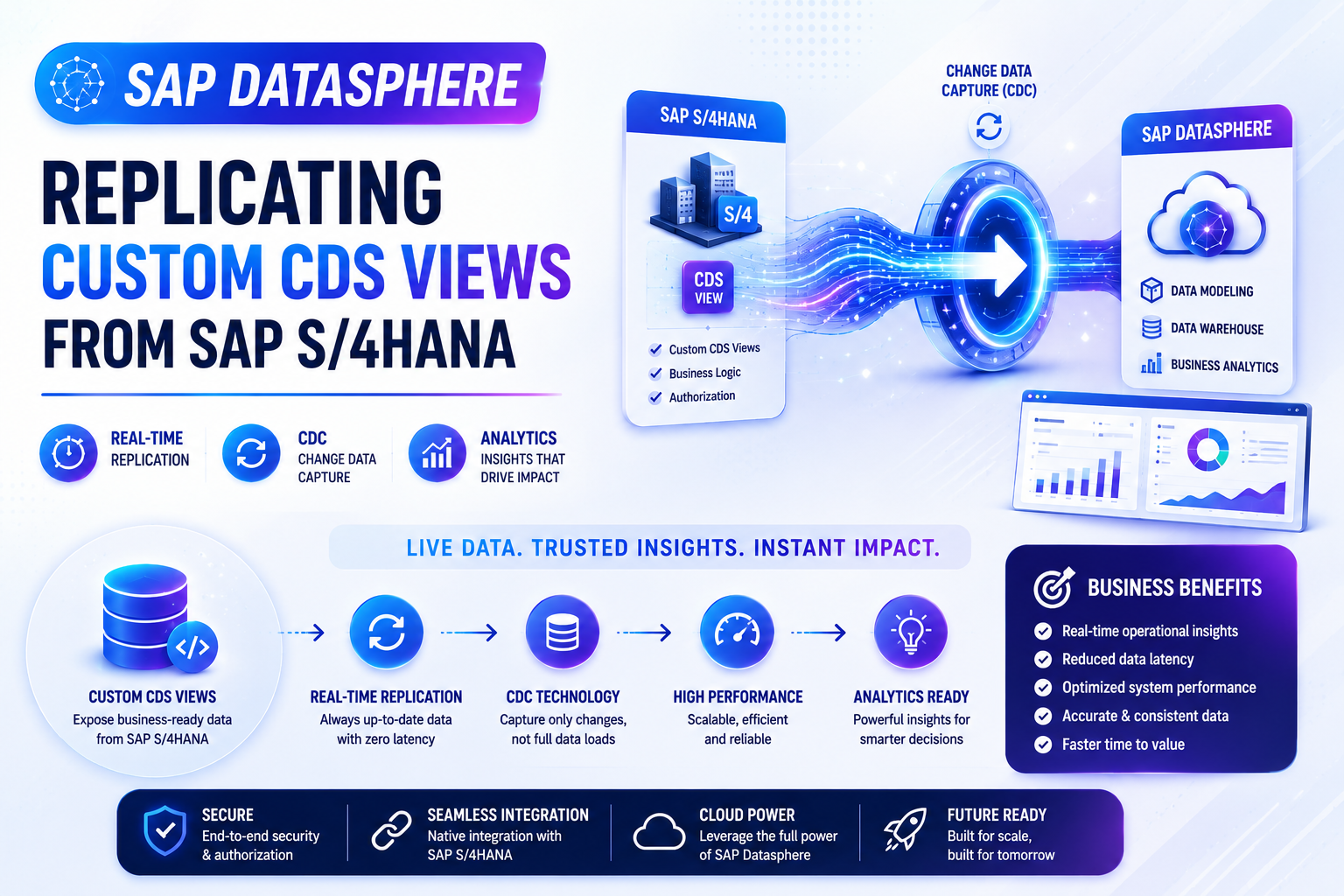
Modern enterprises rely on real-time insights to make informed business decisions. As organizations increasingly adopt SAP Datasphere as their strategic data platform, the ability to replicate operational data from SAP S/4HANA becomes essential for delivering timely analytics, reporting, and business intelligence.
In this comprehensive guide, we explore the complete process of replicating custom CDS Views from SAP S/4HANA into SAP Datasphere. This approach enables organizations to leverage existing business logic within CDS Views while providing near real-time access to transactional and financial data for analytical purposes.
The integration begins within SAP S/4HANA, where custom CDS Views are developed using ABAP Development Tools (ADT) in Eclipse. By combining data from key financial tables such as BKPF, BSEG, BSIS, and BSAS, developers can create business-oriented data models that expose meaningful information to downstream analytics platforms.
To support enterprise-grade replication scenarios, CDS Views can be enhanced with Data Extraction and Change Data Capture (CDC) annotations. These capabilities allow SAP Datasphere to identify newly created, modified, or deleted records and replicate only the changed data, significantly reducing data transfer volumes while maintaining data consistency.
The guide then walks through configuring SAP Datasphere Replication Flows, including source system connections, source container selection, object discovery, target configuration, projection settings, deployment, and execution. Special attention is given to understanding the differences between Initial Load and Delta Replication strategies, helping organizations choose the most suitable approach for their business requirements.
By the end of this tutorial, readers will understand how to establish automated, scalable, and near real-time replication processes that bridge operational SAP S/4HANA systems with modern analytical environments in SAP Datasphere.
Topics Covered
1. Introduction to SAP Datasphere Replication
- SAP Datasphere Overview
- Data Integration Architecture
- Business Benefits
- Real-Time Analytics Scenarios
2. Understanding CDS-Based Replication
- What are CDS Views?
- Why Use CDS Views for Replication?
- Business-Oriented Data Modeling
- Reusable Semantic Layer
3. Example Financial Data Sources
- BKPF – Accounting Document Header
- BSEG – Accounting Document Segment
- BSIS – G/L Open Items
- BSAS – G/L Cleared Items
- Financial Reporting Scenarios
4. Creating a Custom CDS View
- ABAP Development Tools (ADT)
- CDS View Design
- Table Joins
- Calculated Fields
- Business Semantics
5. Enabling Data Extraction
- Extraction Annotations
- Data Replication Setup
- Extraction Framework Overview
- Replication Readiness
6. Configuring Change Data Capture (CDC)
- CDC Fundamentals
- Delta Detection
- Tracking Record Changes
- Real-Time Synchronization
7. SAP Datasphere Configuration
- Logging into SAP Datasphere
- Space Configuration
- Data Builder Overview
- Connection Management
8. Creating Replication Flows
- Source Connection Selection
- S/4HANA ABAP Source Systems
- Source Container Configuration
- Object Discovery
9. Target Configuration
- Datasphere Target Selection
- Projection Settings
- Data Transformation Options
- Replication Design Best Practices
10. Initial Load vs Delta Replication
Initial Load Only
- One-Time Data Transfer
- Historical Data Migration
- Simpler Configuration
Initial Load + Delta
- Continuous Synchronization
- CDC-Based Updates
- Near Real-Time Analytics
11. Deployment and Execution
- Save Configuration
- Deploy Replication Flow
- Execute Replication
- Monitoring Jobs
12. Importing Objects from Connections
- Metadata Discovery
- Object Import Process
- Validation Steps
13. Data Validation
- Previewing Data
- Data Viewer Usage
- Record Verification
- Quality Checks
14. Final Business Outcome
- Financial Data Availability
- Analytical Reporting
- Dashboard Readiness
- Enterprise Data Consumption
15. SAP Datasphere Trial Setup
- Trial Account Creation
- Learning Environment
- Practice Scenarios
https://drive.google.com/file/d/1ihnchuvAtb1nSzwFTH4iGkBY-_uZNRNw/view?usp=sharing




 Prev Post
What do you think?
Show comments / Leave a comment